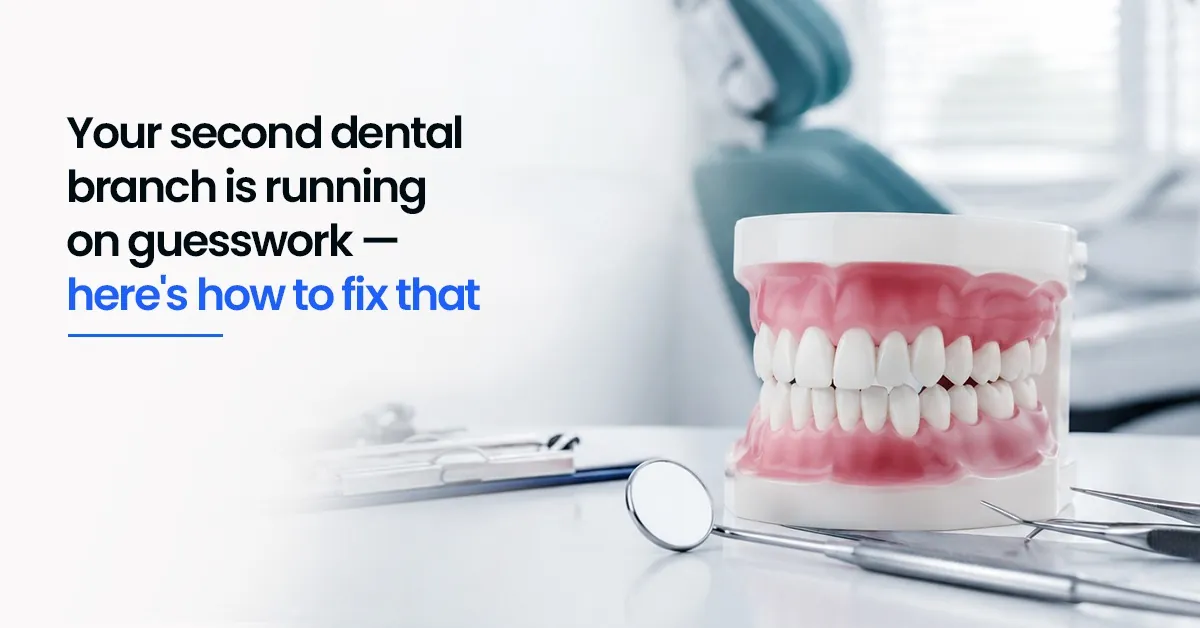
Your second dental branch is running on guesswork — here's how to fix that

Opening a second clinic feels like the natural next step. More reach, more patients, more revenue. But within a few weeks, a different reality sets in — a follow-up that never went out, a billing discrepancy no one can explain, a patient whose records are sitting at the other branch.
What felt smooth at one location starts to feel fragile at two.
The frustrating part? It's rarely a clinical problem. It's a coordination problem. And it's one that most clinic owners don't see coming until they're already inside it. Growth doesn't usually fail because of the dentistry. It fails because information stops moving properly between branches — and because the right multi-branch dental clinic software isn't in place to keep things connected.
Why the second branch breaks what worked at the first
Most owners set up a second branch by replicating their first — same software, same workflows and same paper-based shortcuts. The result isn't a connected operation. It's two separate silos that happen to share a brand name.
Branch A books appointments one way. Branch B skips confirmation steps. The owner manually pulls reports from two different places every week just to get a complete picture. None of this is because the team is careless — it's because the system was never built for more than one location.
| ⚠️ Common Mistake Replicating your first-branch workflow at the second branch feels logical — same forms, same steps, same software. But disconnected systems at two locations don't scale; they compound. Every manual handoff between branches becomes a potential missed follow-up, billing gap, or duplicate patient record. |
The clinics that manage multiple locations well don't just buy better software — they redesign how work gets done across branches, then use software to enforce that design consistently.
Signs your second branch is becoming disconnected
These usually appear within the first two to three months of opening a second location:
1. Patient follow-ups missed because they fell between
branches
2. Different billing processes running at different
locations
3. Staff calling across branches to locate patient records
4. Duplicate inventory orders because stock visibility is
unclear
5. Owner manually compiling revenue and appointment data
from multiple systems every week
If more than two of these are familiar, the clinic has outgrown disconnected workflows. This is the point where dental franchise management software stops being a convenience and starts being a necessity.
Where coordination breaks down — and what changes with connected software
Here's a direct comparison across the five areas where multi-branch clinics feel the most friction:
| Area | With Dentobees | Without It |
| Patient Records | Full history and treatment plan visible at any branch instantly | Dentists call between branches; records duplicated or lost |
| Billing | Invoices and payments tracked in one place across all locations | Reconciled manually via WhatsApp messages and paper notes |
| Follow-ups | Automated reminders go out regardless of which branch was visited | Follow-ups depend on staff initiative — and routinely get missed |
| Inventory | Stock levels visible across branches; no duplicate orders | Branches order independently; excess at one, shortage at another |
| Owner Oversight | One dashboard: revenue, collections, pending tasks across all locations | Owner compiles reports manually from each branch every week |
This is where a connected dental practice management system earns its place — not as a feature list, but as the infrastructure that makes multi-branch operations predictable.
What this looks like in practice
Consider a patient who usually visits your main branch but books a last-minute slot at your second location, closer to where she works that day.
Without connected software
The dentist calls the main branch, waits for someone to locate the file, pieces together the treatment plan from whatever was communicated, and manually logs the visit. Billing gets reconciled later — or not at all. A follow-up reminder depends entirely on whether someone at either branch remembers to send one.
With Dentobees
The dentist opens the system and sees the full history, outstanding balance, and ongoing treatment plan — regardless of which branch the last visit was at. Care continues without delay. A follow-up reminder goes out automatically after the appointment. The owner sees the appointment and payment in the same dashboard as every other branch that day.
Patients rarely notice the dental software. What they notice is whether their dentist seems prepared — and whether anyone follows up. Consistency across locations is what builds trust at scale.
What most clinics get wrong when expanding to a second branch
Assuming the same tools will work — without configuring them for multi-branch use
Skipping the handoff design: not defining which branch 'owns' a shared patient
Treating inventory as a per-branch problem rather than a shared resource
Setting up billing independently at each branch instead of linking them to one account
Waiting for coordination failures before investing in connected software — by which point there's usually a backlog of unreconciled data
Key takeaways
• A second dental branch doesn't fail because of clinical quality — it fails because coordination breaks down between locations
• Replicating first-branch workflows at a second location creates data silos, not a connected operation
• The five highest-friction areas across multi-branch clinics are patient records, billing, follow-ups, inventory, and owner oversight — all addressable with the right dental clinic management software
• Automated reminders, shared patient records, and unified billing aren't nice-to-haves at two branches — they're the foundation of a clinic that can actually scale
• Fix the coordination layer before adding a third branch — not after
Running two branches well is a systems problem, not a staffing one
Most clinic owners who struggle with a second branch hire more people to compensate — a second receptionist, an admin at each location. That helps temporarily. But the root problem isn't headcount; it's information flow. When patient records, billing, and follow-ups live in disconnected places, adding more staff just adds more people managing the same gaps manually.
The clinics that scale cleanly — from two branches to five, from five to ten — do it by building a coordination layer that doesn't depend on individuals. Connected dental ERP software handles the information flow. Staff focus on patient care and relationships instead of chasing records across locations.
It's not a technology problem. It's an operational design problem that technology solves.
Frequently asked questions
1.What does multi-branch dental software actually do?
It connects all your clinic locations into one system — patient records, appointments, billing, and follow-ups — so staff and dentists at any branch have a complete view without manual reconciliation. Changes made at one branch are visible at all others in real time, which eliminates the most common coordination failures in multi-location dental practices.
2.Why can't I just use separate software at each branch?
Separate systems create data silos. Patient history, billing, and follow-ups all have to be manually reconciled across locations — which is slow, error-prone, and doesn't scale beyond two branches without significant overhead. When something goes wrong (a missed follow-up, a billing discrepancy), tracing it back across disconnected systems takes time that no clinic team has.
3.Does Dentobees handle automated reminders across multiple branches?
Yes. Appointment reminders and recall messages go out automatically across all branches, without depending on individual staff to manually schedule them at each location. Reminders are linked to the patient record, not the branch — so a patient who visited Branch B still gets the correct follow-up, regardless of which branch initiated care.
4.Is Dentobees suitable for a clinic with just two branches?
Yes. The platform is designed to work from the second branch onward and scales as more locations are added. The core benefits — shared patient records, unified billing, automated reminders, and a single owner dashboard — apply immediately and become more valuable as the clinic grows.
5.Can staff permissions be controlled separately for each branch?
Yes. Different access roles can be assigned for receptionists, dentists, accountants, and branch managers based on your operational structure. A receptionist at Branch A can be restricted to that branch's appointments and billing, while the clinic owner sees data across all locations from one login.
Navyatha VP is a professional content writer specializing in healthcare, dental software and digital marketing. With a background in Mass Communication and Journalism, she focuses on distilling complex topics into clear, actionable insights that help professionals make informed decisions. When she isn’t crafting digital content, Navyatha explores new social media trends, travels or loses herself in a good book.
Download our Mobile APP



Best Dental Practice Management Software & Advanced Dental ERP Suite
Door No.2328, 3rd Floor, Phase 2, Hilite Business Park, Hilite City, Kozhikode - 673014, Kerala, India
Get the latest updates from DentoBees
Click to
Subscribe