How dental appointment reminder software impacts clinic revenue
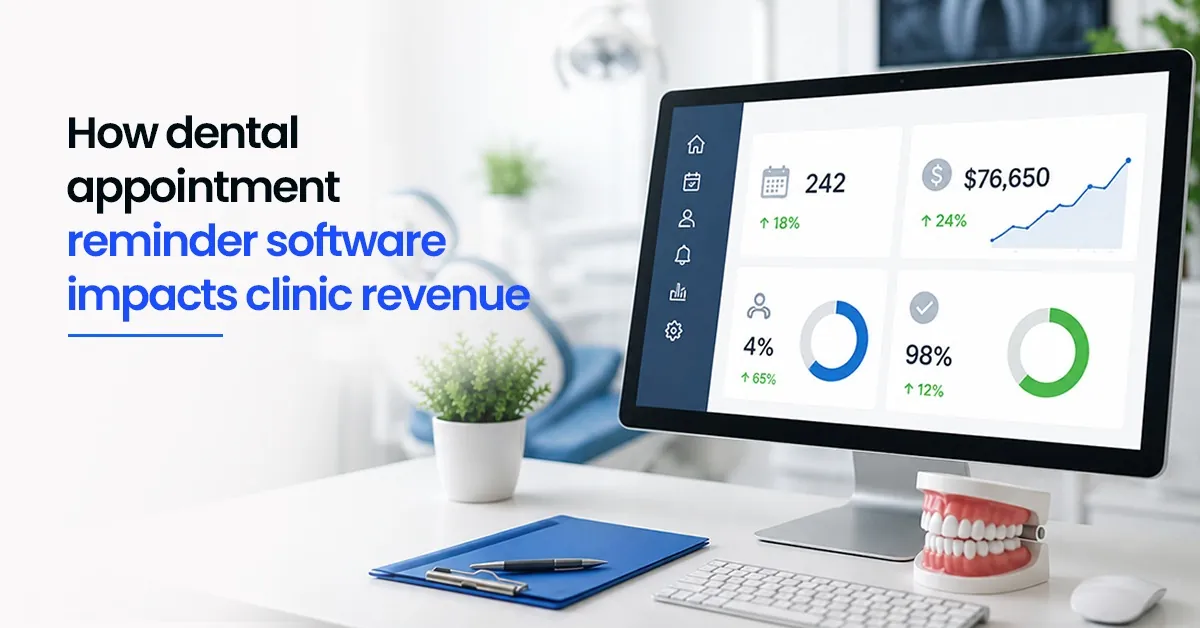

Most clinic days start well. The schedule looks full. But by mid-morning, something shifts. One patient does not show. Another cancels at the last minute with a brief message and no rescheduling. A chair that should be generating revenue sits empty while the front desk scrambles to fill it.
Sometimes a slot gets filled. Often it does not. In the moment, it feels like a minor disruption. Across weeks and months, it quietly becomes one of the most preventable sources of revenue loss in a dental clinic.
The important detail is that most no-shows are not intentional. Patients forget. They mix up the date and time. They feel better temporarily and reprioritise the visit. The appointment was not cancelled — it was simply not remembered. And that is exactly the kind of problem that dental appointment reminder software is built to solve.
| This blog covers why manual reminders fall short in busy clinics, what automated reminders actually change in terms of daily operations and revenue, and how the right dental clinic software makes consistent reminders effortless — for any clinic, single-branch or multi-location. |
Why manual reminders fall short in a busy clinic
Reception teams in most dental clinics already carry a full load. Walk-ins need to be handled. Billing queries need to be answered. The phone rings continuously. New appointments need to be scheduled and confirmed. Fitting reminder calls for every upcoming appointment into this environment is entirely realistic in theory — and deeply inconsistent in practice.
What actually happens is that some patients get called and others do not. The ones who get called tend to be whoever the front desk remembers, or whoever is scheduled first on the list. The ones who do not get called are the ones most likely to forget — and most likely to become no-shows.
The result is unpredictable attendance, last-minute gaps in the schedule, and a reactive scramble that makes the front desk's day harder than it needs to be. This is not a staffing failure. It is a systems failure. The dependency on someone remembering to make a call — every day, for every appointment — is the problem. Automation removes that dependency entirely.
| One thing many clinic owners do not track precisely: the actual revenue impact of missed appointments. If a clinic loses two or three slots per day to no-shows — at an average procedure value — the cumulative monthly loss is significant. The number is usually higher than people expect once they calculate it. |
What dental appointment reminder software actually changes
Reminder automation removes the dependency on someone remembering to make a call. The dental clinic software handles it — a message goes out the day before, a few hours before, or both. Patients either confirm, show up as expected, or let the clinic know in advance that they cannot make it.
That second outcome matters just as much as the first. When a patient cancels with even a few hours' notice, there is a real opportunity to fill the slot from a waitlist or move up an existing patient. Without a reminder, that cancellation often comes with no notice at all — or not at all, as a simple no-show — and the slot is gone.
Here is what a typical clinic day looks like with and without automated reminders:
| Without automated reminders | With automated reminders |
| Patients miss appointments without warning | Most patients show up or notify in advance |
| Front desk scrambles to fill empty slots | Cancellations come with enough notice to act on |
| Some chairs sit idle for hours | Schedule stays predictable and more fully utilised |
| Revenue gap builds quietly over weeks | Daily revenue becomes more consistent and plannable |
| Staff reactive, day feels unpredictable | Staff proactive — time shifts to higher-value work |
| Follow-up recalls rarely happen consistently | Recall reminders go out automatically on schedule |
The operational shift is significant. Better attendance means more completed treatments and more predictable billing. But the larger impact is downstream: when the schedule is reliable, staffing decisions get easier, supply planning improves, and the billing cycle becomes more consistent. The goal for most clinics is not acquiring more patients — it is making better use of the time already booked.
Four things that make dental appointment reminders actually work
Not all reminder systems deliver the same results. The effectiveness comes down to a few practical factors that are easy to get right — or easy to overlook.
| 01 | Get the timing rightToo early and it gets forgotten before the appointment. Too late and there is no time to act on a cancellation. One reminder the day before and one a few hours prior tends to work well for most clinics. The exact timing can vary based on procedure type — a quick cleaning may need less lead time than a crown or implant appointment. |
| 02 | Keep messages short and specificPatients do not read long messages. Date, time, clinic name, and a simple action — confirm or reschedule — is enough. Clear beats comprehensive every time. The reminder should take ten seconds to read and ten seconds to respond to. |
| 03 | Make rescheduling easyIf a patient can quickly reply or tap a link to reschedule, they are far less likely to simply skip the appointment. Friction is one of the main causes of no-shows — when responding to a reminder feels like effort, patients do not respond. When it is frictionless, they do. |
| 04 | Be consistent — every appointment, every timeReminders that go out sometimes are barely better than no reminders at all. The operational benefit of automation is reliability. Once set up in the right dental software, the system handles it without exception — regardless of how busy the front desk is that morning. |
The recall advantage: reminders for follow-up care and ongoing treatment
Why follow-up visits are the most commonly forgotten revenue
New patient acquisition gets a lot of attention in dental practice management. Follow-up appointments get far less — which is where significant revenue quietly disappears.
Recall visits — periodic cleanings, orthodontic check-ins, implant follow-ups, post-treatment reviews — are appointments that patients intend to keep but often forget to book, or book and then forget to attend. Unlike new patient appointments that come with some novelty and motivation, recall visits can feel low-priority until the patient is actually in discomfort.
Dental patient management software with built-in recall automation changes this dynamic. When a patient's treatment plan includes a recall at six weeks, three months, or six months, the system books it proactively or sends a prompt automatically at the right time. No staff member needs to remember, track, or manually call. The patient gets a timely reminder. The chair gets filled. The treatment gets completed.
For multi-branch clinics, this is even more valuable. Recall reminders that are managed manually at each branch are deeply inconsistent — entirely dependent on each location's front desk habits. Automated recall through centralised dental appointment reminder software ensures the same standard applies across every branch, every time.
| From what we see in real clinic operations: incomplete treatment plans are one of the most significant sources of both revenue loss and patient relationship damage. A patient who starts orthodontic treatment, misses two follow-ups due to poor recall, and then discontinues — that is a clinical outcome problem and a revenue problem caused by a systems gap. |
The quieter benefit: a calmer, more focused front desk
There is a benefit to reminder automation that does not show up directly in revenue reports but changes the daily clinic experience significantly: the front desk gets calmer.
When reminders run automatically through the dental clinic software, staff are no longer spending chunks of their morning on calls that go to voicemail. They are not interrupting patient check-ins to dial the next reminder. They are not chasing down confirmation statuses across a list. That time shifts to things that actually need a person — patient experience at the counter, billing accuracy, handling new enquiries well.
Less reactive work means fewer errors. Fewer errors means a smoother day. And a smoother day, over time, means lower staff turnover — which is an indirect but real cost to clinic operations.
For multi-branch practices, the front desk benefit is multiplied. Each branch operates with the same reminder system running in the background. No location falls behind because the team was short-staffed that morning or the designated reminder person was on leave. The dental patient management software handles it regardless.
How Dentobees handles appointment reminders
Dentobees includes dental appointment reminder software built directly into the scheduling module — not added on as a separate tool. When an appointment is booked through the dental app or the clinic system, the reminder workflow starts automatically. No extra steps for your team. No configuration needed per appointment.
Reminders go out via SMS and WhatsApp — the channels that actually get read in India — at the timing intervals set by the clinic. Patients can confirm or request rescheduling directly from the message. Unconfirmed slots are flagged in the dashboard so the front desk can follow up proactively rather than discovering the no-show after the fact.
For multi-branch clinics, reminders work the same way across every location from the same centralised dental clinic software. The standard does not vary by branch. And recall appointment automation — for follow-up care, periodic cleanings, or treatment plan continuity — is part of the same system, not a separate setup.
From an owner's perspective, the appointment confirmation rate across all branches is visible in real time. Which branches have unconfirmed slots for tomorrow? Which patients are overdue for recall? These are questions that the dental app can answer without anyone having to investigate manually.
| Dentobees does all four of the things that make reminders actually work — right timing, short messages, easy rescheduling, and consistent delivery — by default. Book a free demo at dentobees.com to see it in the context of your clinic's workflow. |
Key takeaways
1.Missed appointments are one of the most common and preventable sources of dental clinic revenue loss — not a minor inconvenience.
2.Most no-shows are caused by forgetfulness, not intent — which means they are largely fixable with timely, consistent reminders.
3.Manual reminders through front desk calls are inconsistent by nature — automation is the only practical way to make reminders reliable.
4.The right dental appointment reminder software improves not just attendance but the entire downstream operation: billing predictability, supply planning, and staff workload.
5.Recall automation — for follow-up visits and treatment plan continuity — is where automated dental patient management software recovers some of its most significant revenue.
6.For multi-branch clinics, centralised reminder software ensures consistent standards across every location without depending on individual branch effort.
7.The front desk benefit is real: when reminders run automatically, staff time shifts from reactive calling to patient-facing work that actually needs a human.
Conclusion
Every dental clinic loses some revenue to no-shows. What varies is how much — and whether that loss is treated as inevitable or as a solvable problem.
The honest reality is that most no-shows are preventable. Not all of them — genuine emergencies exist, and some patients will always cancel regardless of reminders. But the majority of missed appointments happen because patients forgot, mixed up the time, or simply needed a nudge that never came. That is a gap in the system, not a gap in patient intent.
Dental appointment reminder software closes that gap. Not dramatically or expensively — it does it automatically, in the background, while the front desk focuses on everything else a busy clinic needs from them. The revenue impact shows up gradually, in a fuller schedule, a more predictable billing cycle, and a week that ends with fewer empty chairs than the last one.
For clinics still managing reminders manually — or not managing them consistently at all — the change is straightforward. The right software for dental clinic operations handles it without adding a single step to anyone's workflow. That is the standard every clinic should be running on.
Frequently asked questions
1. Does dental appointment reminder software actually reduce no-shows?
Yes — and the reason is straightforward. Most no-shows happen because patients forget, not because they do not want to attend. A timely reminder removes that friction entirely. This is supported by peer-reviewed research: published studies on PubMed consistently show that appointment reminders — particularly automated ones sent 24–48 hours before the appointment — significantly reduce no-show rates across healthcare settings including dental clinics. The improvement is not marginal; in most clinics that implement consistent automated reminders, attendance rates improve noticeably within the first few weeks.
2. How many reminders should a dental clinic send per appointment?
One or two is enough for most appointments. One reminder the day before, and optionally one a few hours prior on the day of the appointment. The day-before reminder gives patients time to reschedule if needed; the same-day reminder catches those who may have forgotten overnight. Sending more than two reminders per appointment starts to feel like pressure rather than helpfulness — which can create its own problems, including patients unsubscribing from future messages. Quality and timing matter more than quantity.
3. Is setting up dental reminder automation complicated?
With the right dental clinic software, no. In a well-designed system like Dentobees, reminders are configured once at the clinic level — timing, message format, channel (SMS or WhatsApp) — and then run automatically for every appointment that is booked. There are no extra steps for the front desk per appointment. The setup is done once; the system handles everything from that point. Even staff with minimal technical comfort can manage it after a brief introduction.
4. Can dental reminder software help with follow-up care and recall visits?
Absolutely — and recall visits are often where the biggest recovery happens. Follow-up appointments, periodic cleanings, orthodontic check-ins, and post-procedure reviews are especially prone to being forgotten because patients do not feel urgency around them the way they might for a symptomatic issue. Automated recall reminders sent at the right interval — six weeks, three months, six months after treatment — keep patients on track without requiring anyone to manually track and call. This is one of the most valuable features of dental patient management software with built-in recall functionality.
5. Will dental reminder software replace front desk staff?
No — and this is a common concern worth addressing directly. Dental appointment reminder software handles the repetitive, time-consuming part of patient communication: the scheduled calls and messages that go out for every appointment, every time. Front desk staff are freed from that task and can focus on what genuinely needs a person — patient experience at the counter, complex scheduling, billing queries, and the kind of human interaction that no system replaces. The result is a more effective team, not a smaller one.
Navyatha VP is a professional content writer specializing in healthcare, dental software and digital marketing. With a background in Mass Communication and Journalism, she focuses on distilling complex topics into clear, actionable insights that help professionals make informed decisions. When she isn’t crafting digital content, Navyatha explores new social media trends, travels or loses herself in a good book.
Download our Mobile APP



Best Dental Practice Management Software & Advanced Dental ERP Suite
Door No.2328, 3rd Floor, Phase 2, Hilite Business Park, Hilite City, Kozhikode - 673014, Kerala, India
Get the latest updates from DentoBees
Click to
Subscribe